Spinner Evolution Official & Trusted Links
Download the real game, reach HyperMonk support, and know this wiki is an independent fan resource.
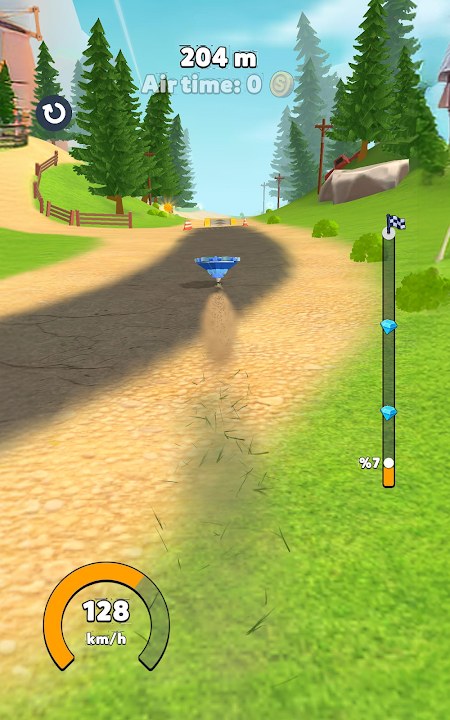
The Links Hub gathers official Spinner Evolution destinations so you never have to trust a random mirror. Spinner Evolution is developed by HyperMonk Games and published as a free mobile (and Windows via Play) distance racer with ads and optional in-app purchases. Everything strategic on this site—Guides, Tier List, Spinner Forms, Updates, Tools, and Codes—assumes you are on a legitimate build.
Fan wiki disclaimer
spinnerevolution.wiki is a fan-made encyclopedia. It is not operated by HyperMonk Games, Google, or Apple. Store copy, patch themes, and feature descriptions are summarized from public listings and play experience for educational strategy use. Trademarks and game assets belong to their owners. If something here conflicts with the live client, the live client wins—then tell us so we can correct the page.
We do not sell currency, host modified APKs, or guarantee invented promo codes. When codes are absent, the Codes Hub says so plainly.
Official downloads
Google Play (Android / Windows listing)
Play Spinner Evolution from the official store page:
Spinner Evolution on Google Play
Package id: com.hypermonkgames.SpinnerEvolution. Prefer this link over third-party APK sites. Sideloaded builds are a common malware vector and will not match guide advice safely.
Apple App Store (iPhone / iPad)
Spinner Evolution on the App Store
App Store id: id6797758873. Keep Game Center / Apple ID credentials inside Apple’s own flows only.
Developer website
Studio portal and policies:
Use the site for publisher news, privacy policy context, and verification that a rumor actually came from the developer—not a content farm.
Support contact
Need help with purchases, crashes, or account issues?
Email: support@hypermonkgames.com
Include your platform (Android / iOS / Windows), app version string, and a short repro. For strategy questions (upgrade order, evolution timing, distance tips), use this wiki’s Getting Started and Upgrade Planner first—support teams prioritize technical and billing problems.
What to avoid
- APK mirrors promising “unlocked spinners” or “infinite gems”
- Fake redeem portals that ask for your Google or Apple password
- Discord or Telegram files masquerading as hotfixes
- “Update codes” spam that appears the same day as Jungle, Toy, Beach, Space, or Snow patches without a HyperMonk source
If a stranger’s link is not Play, App Store, hypermonkgames.com, or this wiki’s internal guides, treat it as hostile until proven otherwise.
How this wiki uses official sources
- Gameplay loop — launch, upgrade Launch Power / Speed / Durability / Overall, evolve forms, beat distance, unlock environments
- Level themes — Farm teaching grounds plus Jungle, Beach, Toy, Space, Snow called out across store updates (Updates Hub)
- Monetization — free with ads and IAP; optional packs never required to understand the Tier List Hub
- Codes policy — no fabricated strings; redeem guidance stays hypothetical until HyperMonk ships a real channel
Navigate the rest of the wiki
- Guides Hub — getting started, controls, evolve, records, unlock levels
- Codes Hub — honest code status and scam warnings
- Tier List Hub — situational upgrade rankings
- Spinner Forms Hub — evolution and designs
- Updates Hub — patch themes and version progression
- Tools Hub — Upgrade Planner entry point
Platform notes
Android: Install from Play; allow the game to update when Jungle or dual-level drops arrive so guides match your obstacles.
iOS: App Store history is useful for confirming Toy+Beach (0.3.4) versus Space+Snow (0.3.5) messaging when blogs blur numbers.
Windows: When playing via the Play-powered Windows path, still use the same HyperMonk support email and avoid unofficial desktop cracks.
Attribution and corrections
Strategy articles are original wiki writing informed by public store text and hands-on progression design. They are not copied from other money-network sites. Spot an outdated level name or a dead outbound URL? Recheck HyperMonk’s pages, then adjust your bookmarks—and expect this Links Hub to stay the canonical outbound list.
Quick copy list
- Play Store: https://play.google.com/store/apps/details?id=com.hypermonkgames.SpinnerEvolution
- App Store: https://apps.apple.com/us/app/spinner-evolution/id6797758873
- Studio: https://www.hypermonkgames.com/
- Support: support@hypermonkgames.com
Download officially, upgrade wisely, evolve on purpose, and treat this fan wiki as a companion—not a substitute for HyperMonk’s own channels.
Frequently Asked Questions
Quick answers to the most common Spinner Evolution questions.
Is spinnerevolution.wiki an official HyperMonk site?
No. This is an independent fan wiki. For official downloads and support, use Google Play, the App Store, hypermonkgames.com, and support@hypermonkgames.com.
Where should I download Spinner Evolution?
Use the official Google Play listing (com.hypermonkgames.SpinnerEvolution) or the App Store page (id6797758873). Avoid third-party APK mirrors.
How do I contact support?
Email support@hypermonkgames.com with your platform, app version, and a short description of the issue.
Does the developer publish promo codes on these links?
Not as a standing public list. Check HyperMonk channels and our Codes Hub; we do not invent codes when none are verified.
Can I trust in-wiki links to guides and tools?
Yes—internal paths like Guides, Tier List, and the Upgrade Planner stay on this fan site. Outbound store and studio links above are the official external set.